Custom Android quick panel that centralizes device controls
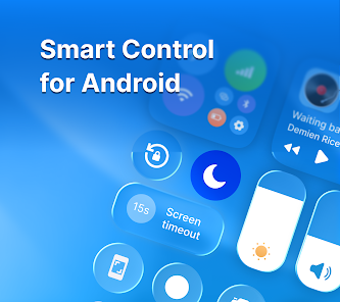
Experience Quick Control - Smart Panel from Scrub Jay Press, a utility that replaces and extends the stock quick settings for Android users. The app provides a centralized overlay panel accessible by swipe-down or swipe-side, letting users tap toggles, record screens, capture screenshots and adjust volume or brightness without opening system menus. It ships with ready-made templates, background blur and layout customization, aimed at Android users who prioritize fast access and visual personalization.
What the app actually provides and how it fits daily use
Quick Control functions as an overlay control center that consolidates system toggles and utility shortcuts into one panel. The app presents one-tap controls for Wi-Fi, Bluetooth, Airplane Mode and Flashlight alongside media controls and screen capture buttons, so users can perform common tasks from a single gesture instead of switching between multiple system screens. Ready-made templates allow a rapid starting layout while custom arrangements match individual routines.
How it interacts with the device during normal operation
The panel appears as an accessible swipe gesture, operating as an overlay on Android devices designed for modern systems. Because it exposes brightness and media sliders plus direct toggles, the tool writes control commands to the system layer rather than acting only as a launcher; that design keeps adjustments immediate and inline with existing settings. The app’s placement as a persistent panel means users trigger functions without launching full apps, reducing task switches.
Whether the app operates safely within a device environment
Quick Control exposes system-level toggles and screen recording controls, which implies active interaction with device settings and media capture subsystems. The inclusion of screenshot and screen-record shortcuts places capture tools directly in the panel, so users should be aware the app sits at a permissioned level to perform those actions. The app’s template and background options do not alter system files, they affect only the panel’s appearance.
How approachable the tool is for non-technical users
The app offers ready-made Control Center styles and a template system for rapid setup, which reduces configuration time for casual users. In addition, layout customization lets more advanced users rearrange shortcuts. The combination of templates plus drag-style personalization maps to both quick adoption and deeper tailoring, so users who prefer minimal setup can rely on templates while power users refine the panel to match workflows.
A practical choice for customization-focused Android users with a minor adoption trade-off
Quick Control is a practical option for Android users who want a consolidated control surface and visual customization. The main strength is its gesture-accessible overlay and template-driven setup that suits both casual and power users. One drawback is its current niche user base as it grows in popularity, which could affect the availability of community themes and user-shared templates in the short term.